📦
Import a zip of plays
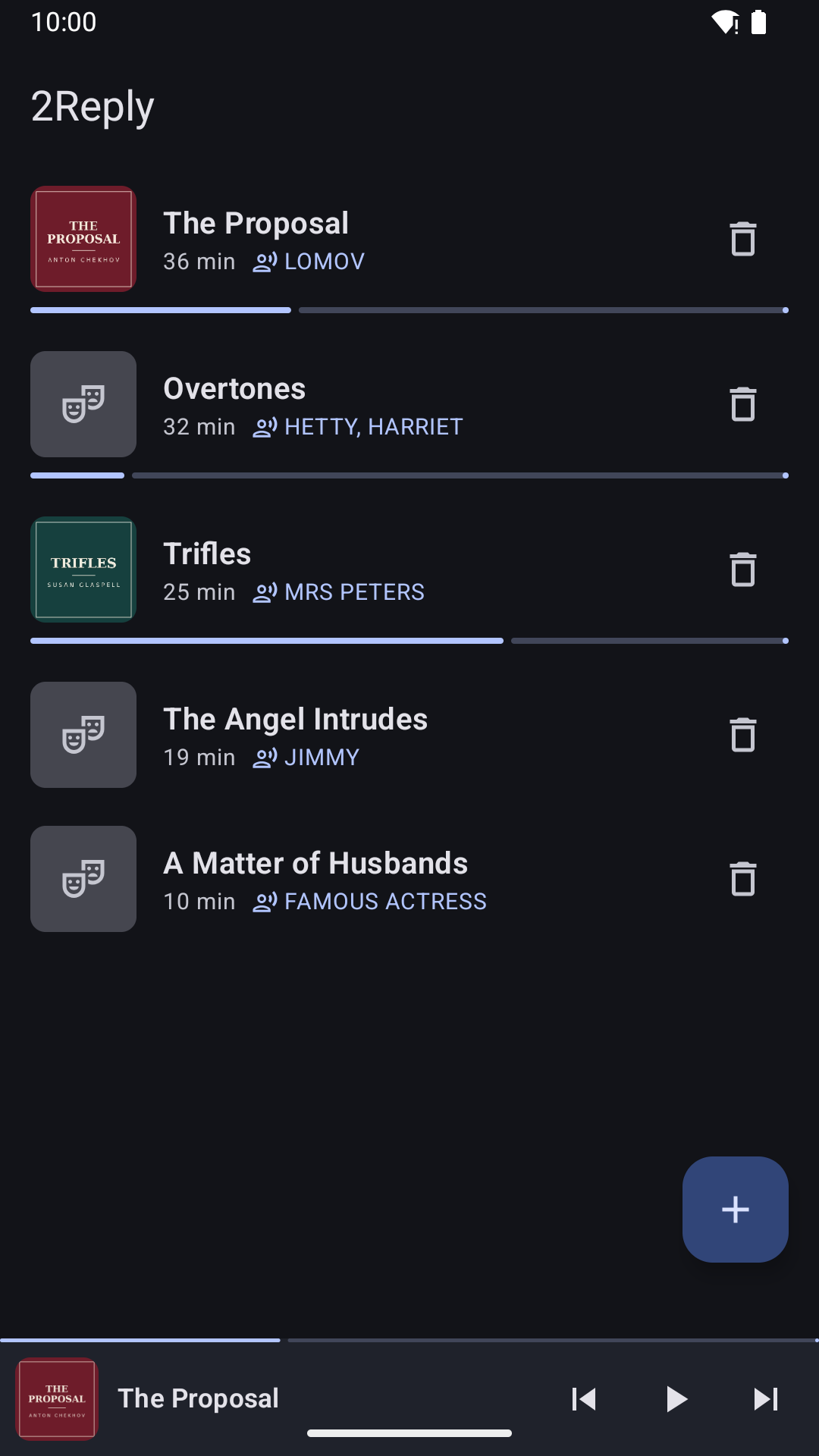
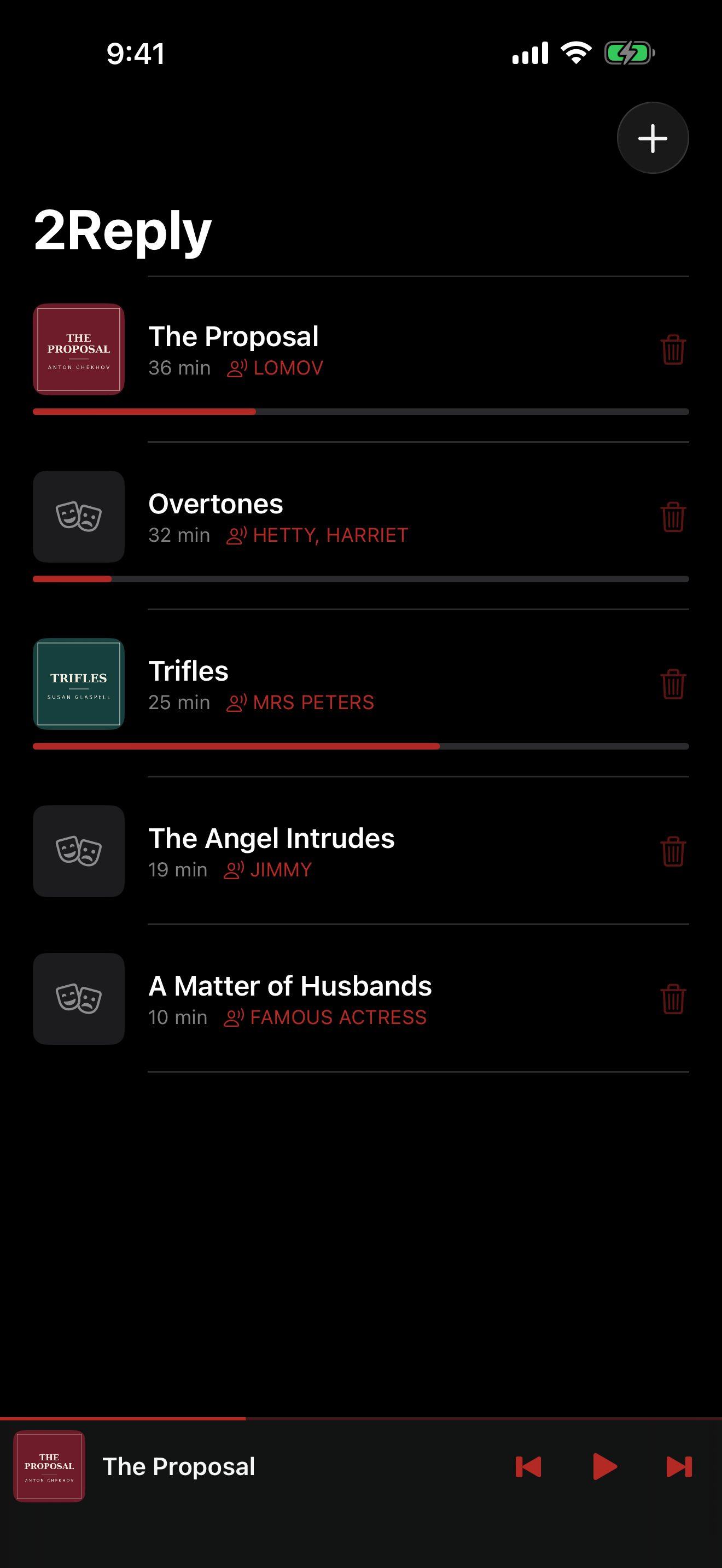
Pick a .zip — a Drive download of a plays folder, say — and every recording comes in with the script beside it, in one go. On iPhone it works from AirDrop and "Open in…" too. A recording without its script is reported, never guessed.
📤
Share a play
Send a play with Quick Share, AirDrop, Messages or Mail. It travels as one file with its recording and script, and 2Reply on the other device — Android or iPhone — imports it whole.
📱
Android 10 and newer
The Android app now runs on Android 10, 11 and 12 too — it used to need Android 13.
🎭
A new look
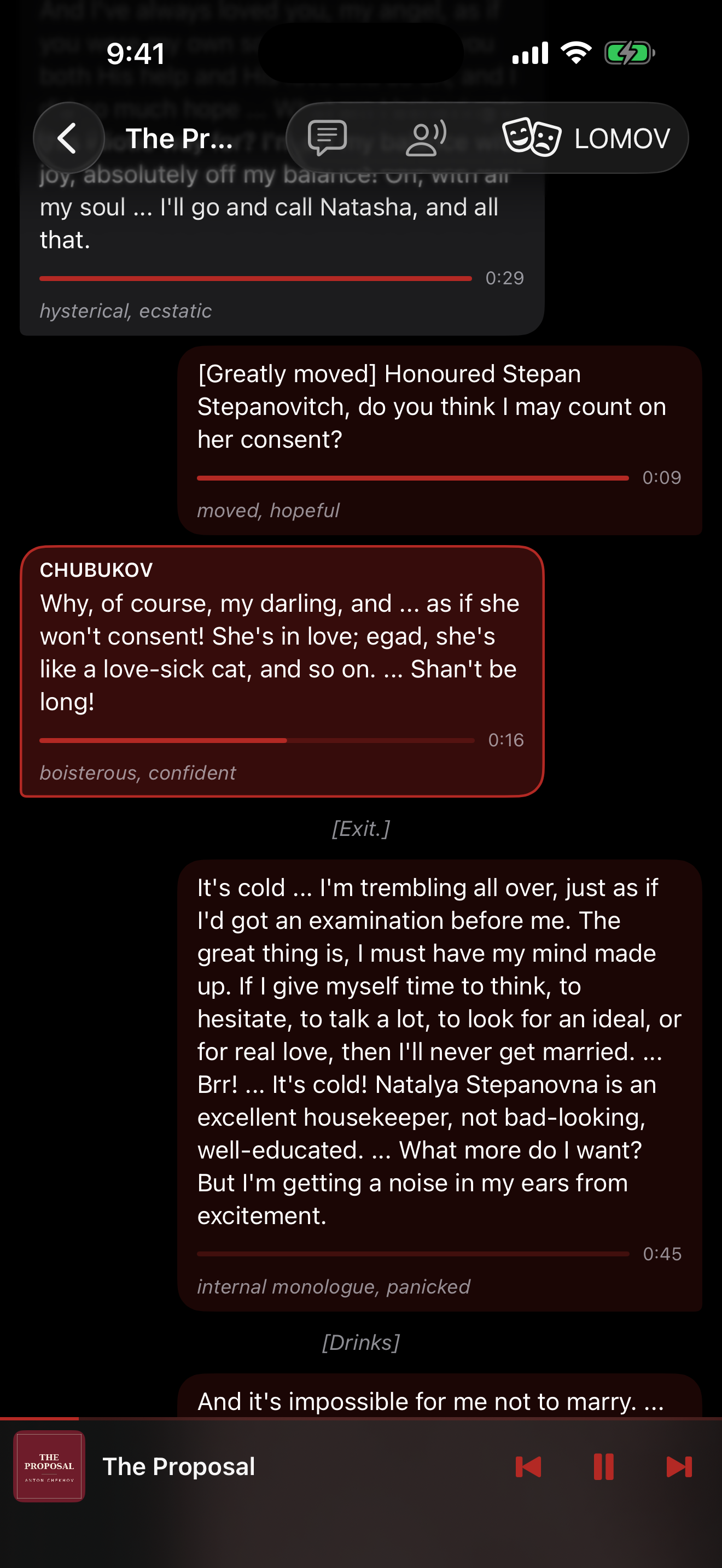
A darkened-theatre design: velvet-red dialogue cards, gold stage directions, a spotlight on the line being spoken — and a new icon, with a themed version on Android 13+.
🎙️
Every line is a voice message
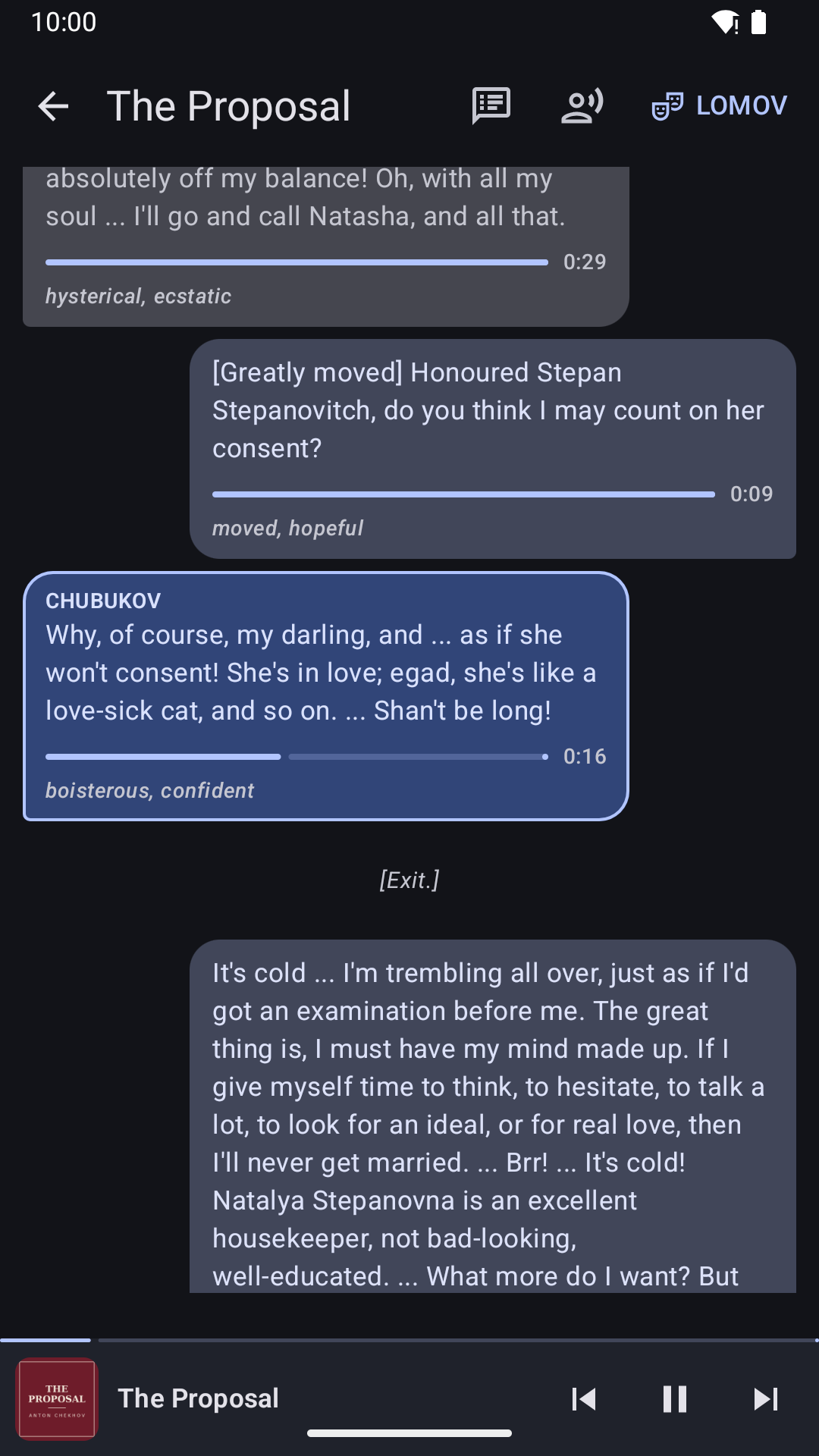
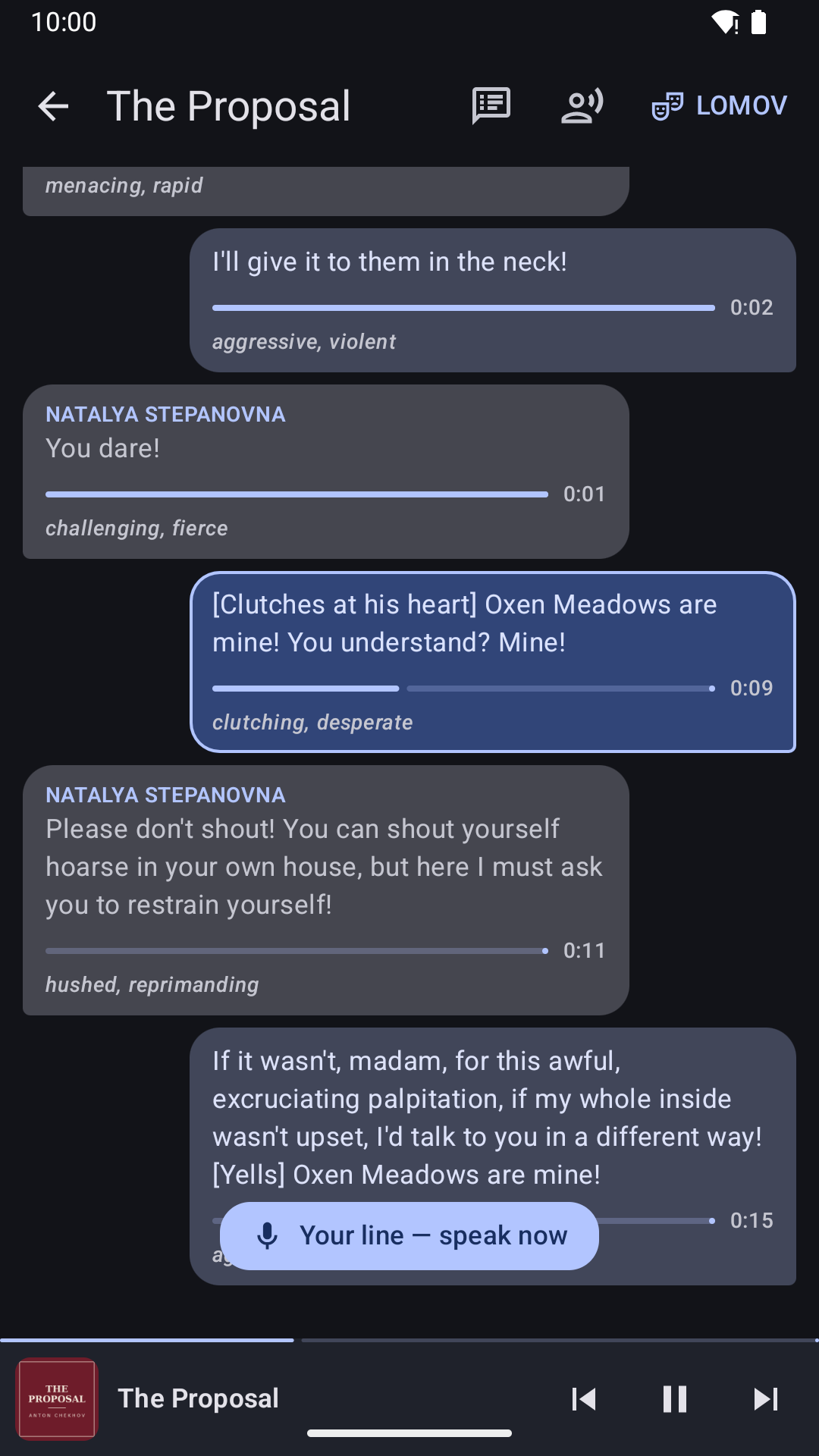
Each line shows a waveform that fills as it plays, next to its spoken duration. Tap its play button to play from that line — even when paused.
🎤
Your turn, at a glance
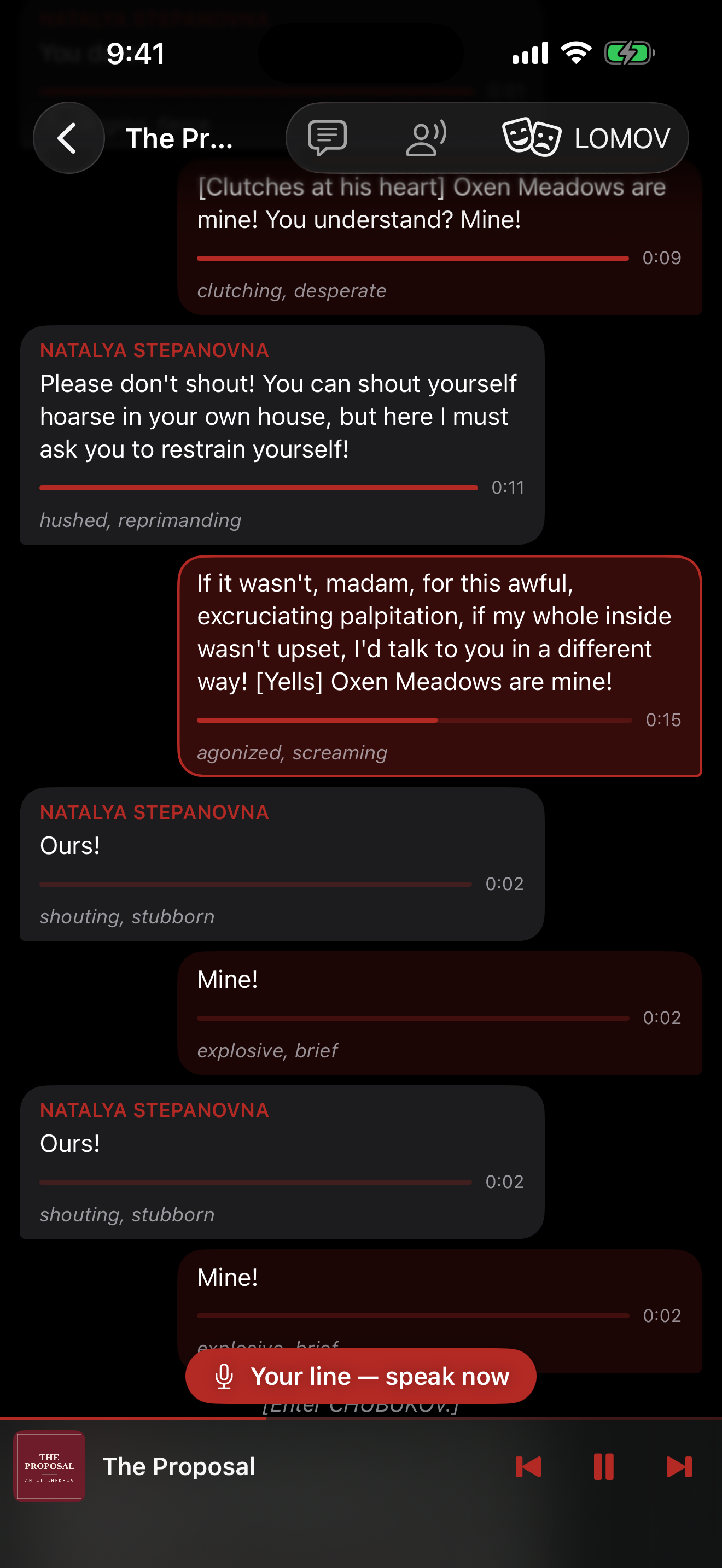
When the playhead reaches one of your lines, its play button becomes a glowing mic and the "speak now" prompt pulses.
📑
Scene list
A new button on the player lists every scene with its start time — jump straight to any scene, from any screen.
🛠️
iPhone & iPad fixes
The "jump to current line" button no longer hides behind the player, and the last lines of a play now scroll clear of it.
💬
Your script as a conversation
The play renders like a chat: other characters on the left, your lines as "me" bubbles on the right, stage directions as system notes, scene titles as headers. The active line highlights and scrolls along with the audio.
🔇
Rehearsal mute
Playback volume drops to zero exactly during your characters' lines and comes back after — the play stays on schedule while you deliver the line. Works from the lock screen with the app in the background.
👥
One role or several
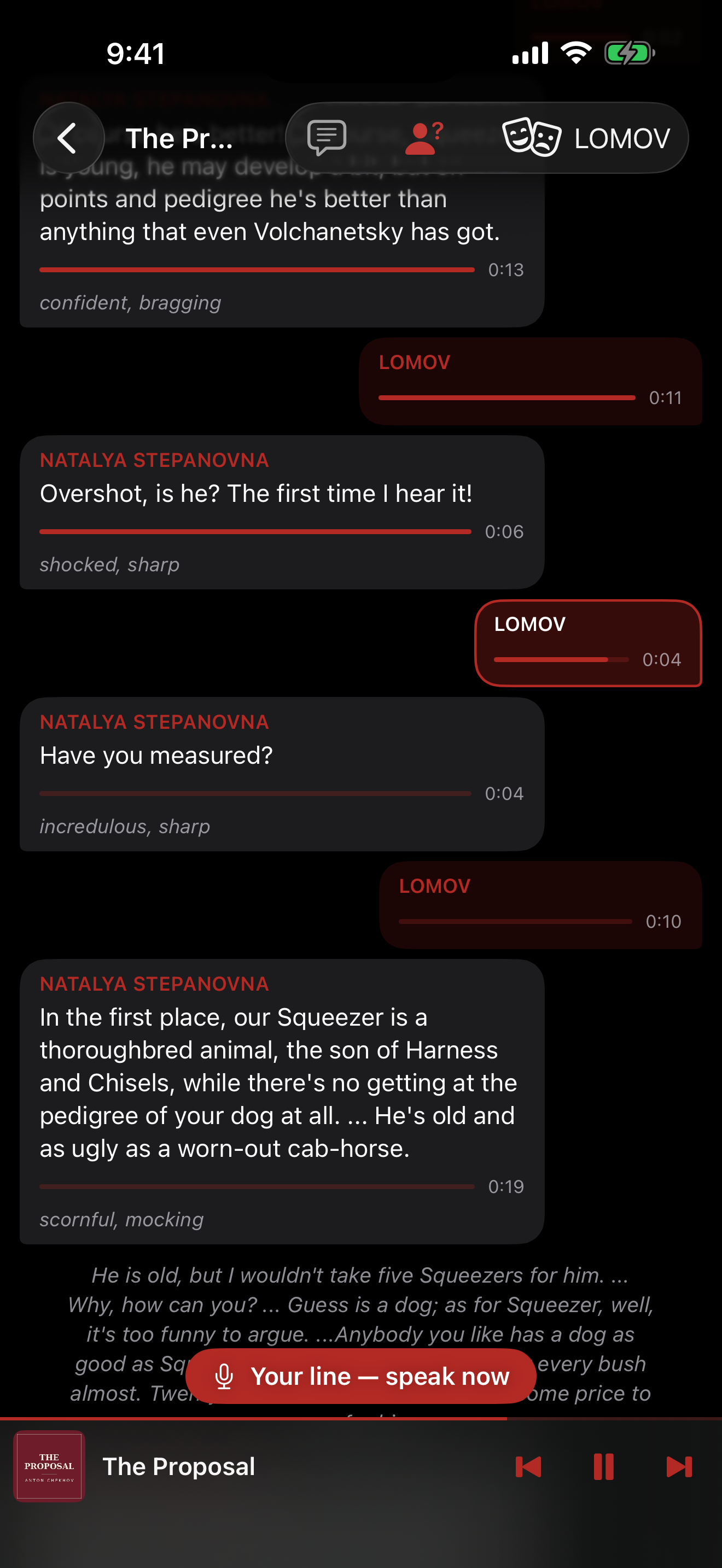
Pick any number of characters from the cast list (sorted by line count). All of their lines mute and flip to your side of the chat — rehearse two parts, or practice as a duo on one device.
🙈
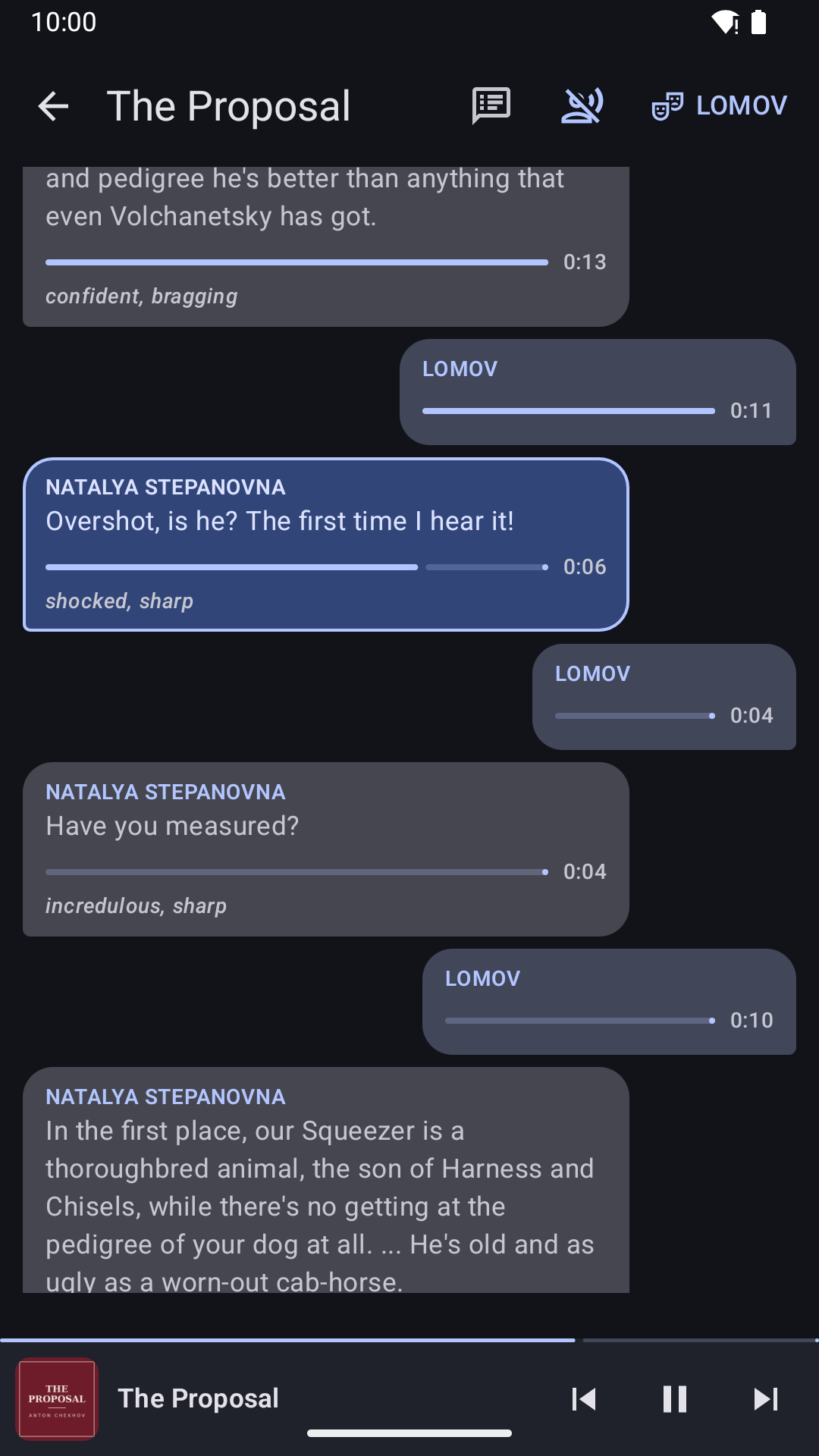
Text-hiding drills
Two toggles: hide your lines to test memorization, or hide everyone else's to train reacting to the spoken cue. Hidden lines keep the name and a waveform sized to the line's length.
⏱️
Per-line timing
Every line shows its spoken duration and fills as it plays — full for what's played, live on the current line. During your muted lines it doubles as a pacing guide.
⏭️
Scene-by-scene transport
Previous / next scene buttons in the app and on the lock screen or media notification — the meaningful jump unit when rehearsing, not an arbitrary ±30 seconds. Tap any line to jump straight to it.
 Android
 iPhone & iPad